Document360 uses API-key-based authentication to secure the v3 API. Every API request must include a valid API key in the X-API-Key header. The API key grants access based on the portal role, content role, and content access configured when it is created.
A scoped API key is assigned a portal role, a content role, and a content-access scope — so the key can do exactly what a team member with those roles could do, and no more. The generated secret begins with d360_sk_ and is shown only once.
If you already have a valid v3 API key, you can skip this article.
Generating a new API key
To create a new API key in Document360:
- Log in to the knowledge base portal.
- Navigate to Settings > Knowledge base portal > API keys.
- The API keys overview page appears with a list of previously generated keys (if any).
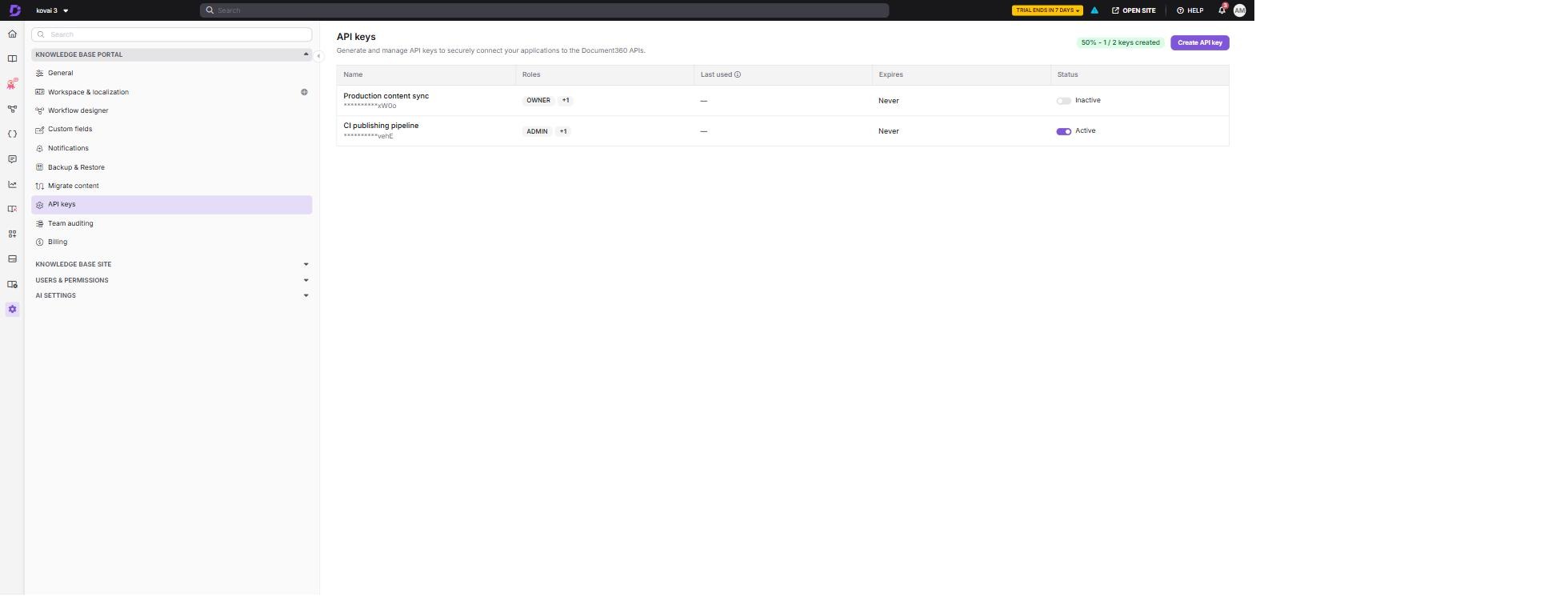
Each row on this page also has Edit and Delete actions, so you can rename a key, adjust its roles and access, or remove it entirely.
- Click Create API key.
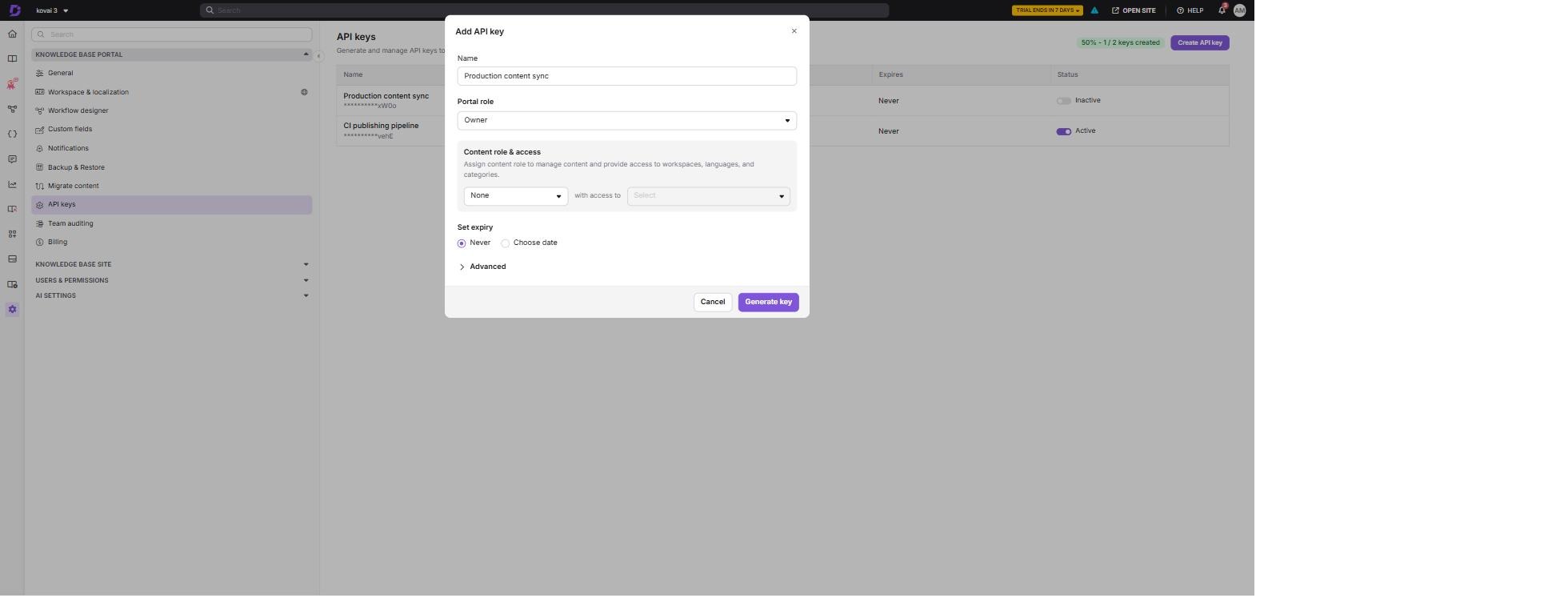
- Enter a Name that describes where the key will be used, for example
Production content sync. - Select a Portal role — this controls the portal-level actions the key can perform.
- Select a Content role and choose the content access it applies to — either the entire project, or specific workspaces, languages and categories.
- Under Set expiry, choose Never, or select Choose date to bound the key's lifetime.
- Click Generate key, then copy the key immediately.
The full API key is displayed only once, at creation time. Copy and store it securely right away. If it is lost, revoke the key and create a new one — the secret cannot be retrieved again.
Treat your API keys like passwords. Never expose them in public repositories, client-side code, or unsecured locations. Scope each key to the least privilege it needs, and set an expiry where possible.
Using the API key
Send the API key in the X-API-Key header of every request:
X-API-Key: d360_sk_XXXXXXXXXXXXXXXXXXXXXXXXXXXXXXXX
The following example lists the projects the key can access:
curl --request GET "https://apihub.document360.io/v3/projects" \
  --header "X-API-Key: d360_sk_XXXXXXXXXXXXXXXXXXXXXXXXXXXXXXXX"
All requests must be made over HTTPS. Requests sent over HTTP or without a valid API key will fail.
The Authorization: Bearer header is reserved for OAuth 2.0 access tokens, such as those used by the interactive API reference. Use X-API-Key for API keys.
A key can never be granted more access than the user who creates it currently holds. If you select a portal role, content role or content access wider than your own, the request is rejected.