You can use Document360’s API to delete a user associated with your project in the knowledge base portal. This helps simplify and automate user management.
To delete a user from the knowledge base portal, follow these steps:
Retrieve the user ID.
Delete the user using the API.
Prerequisites for deleting a user
Before you delete a user in the knowledge base portal, complete the following authorization steps in Postman.
Authorization
To authorize requests in Postman, make sure your API token is added and the appropriate Base URL is set.
Click Document360 Customer API in the category tree.
In the Postman Workbench, go to the Variables tab.
In the Variables tab, check the Initial and Current values of the
baseUrlvariable.This value should already be set to
https://apihub.document360.io. If not, update both fields accordingly.Add a new variable for your API token. For example, name it
api_token.Paste your API token from Document360 into both the Initial value and Current value fields.
Go to the Authorization tab and enter the variable you created in the Value field.
For example, enter
{{api_token}}if your variable is namedapi_token.
Once you've completed these steps, you're ready to start using Document360 APIs in Postman.
Delete a user using Document360’s API
To delete a user, you need:
User ID
Retrieve the user id
To delete a user from the project, you need the corresponding user id. This step helps you retrieve the user id.
In Postman, under Document360 Customer API, expand v2 > Teams.
Click Get all team accounts, then click Send.
In the response body, locate the
user_idof the user you wish to delete.PRO TIP
To locate the desired user’s
user_id, look for the“first_name”or“last_name”field on the response to identify the corresponding user quickly.
Copy the
user_idand save it for later use.
Delete the user
After retrieving the user ID, use this request to delete the user from the project.
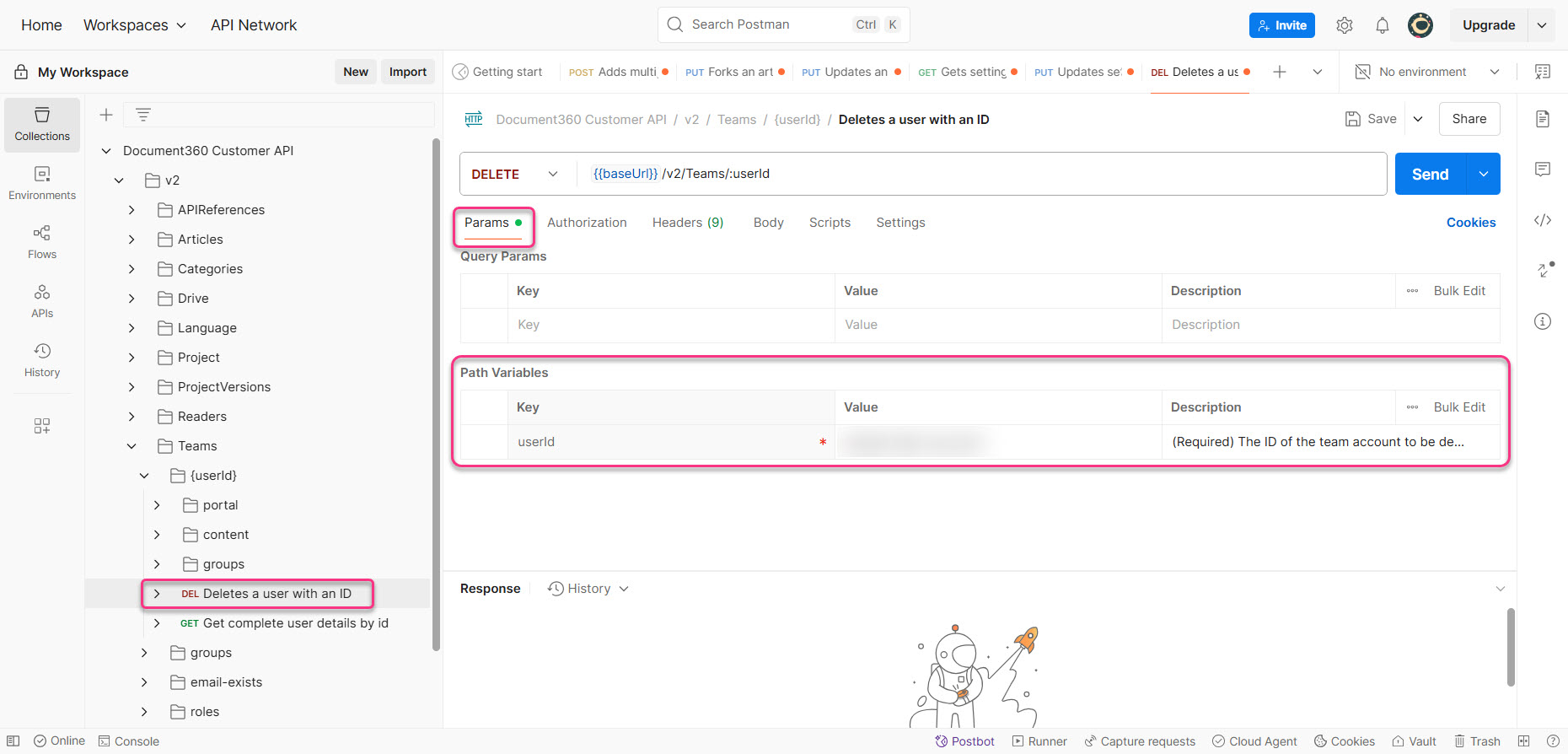
Under v2, expand Teams > {userId}.
Click Delete a user with an ID.
In the Params tab, provide:
user_id: Paste the user ID
Click Send.
If successful, the API will return a 200 OK status and “success”: true. The user will now be deleted from the project.